Level Access comes up a lot when people research accessibility platforms. It’s well known, and it’s been around a while. But it isn’t the only option, and it isn’t always the right fit for your organisation. Maybe you want sharper reporting. Maybe you just want a checker your content team can use without a developer translating every result.
What does Level Access offer?
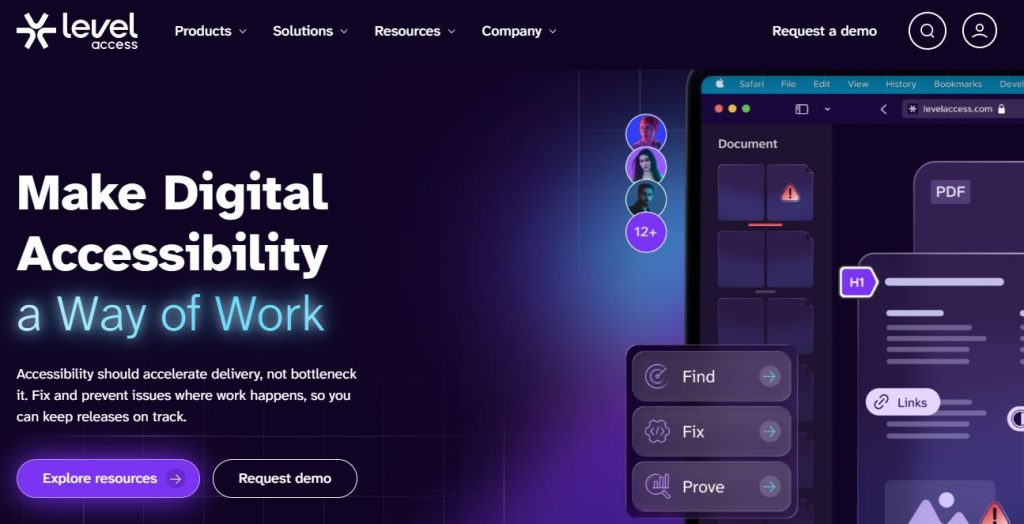
Level Access is one of the leading digital accessibility solutions. It scans websites, apps, and documents, checking for known WCAG accessibility issues. Once issues are identified, they are highlighted to your teams and can be fed directly into developer pipelines. There’s even a range of automated remediation tools, helping cut down the amount of time required to implement change.
Reporting is the platform’s strongest feature, with progress tracked across departments and assets. That suits large organisations juggling compliance across dozens of properties more than it suits a small marketing team.
Level Access also runs manual audits, alongside training and legal support, for organisations building a long-term programme.
What are the best alternatives to Level Access?
There are a huge number of web accessibility platforms to explore. But only a few are actually worthy alternatives to Level Access. Here are our top 10:
#1) Recite Me
Recite Me has a web accessibility checker that uses AI to scan sites against every level of WCAG 2.2, flagging issues by severity. The tool provides each issue with a recommended fix in plain English. That makes it easy for whoever actually opens the report, which in practice is often a marketing manager or a compliance lead with no coding background at all.
The tool also tracks compliance over time rather than just listing what’s currently broken, so there’s something to show leadership beyond a static issue count. The platform flags colour contrast failures and missing alt text with the recommended fixes attached, so teams are never left second-guessing what is required.
Beyond the checker, Recite Me has an assistive toolbar for on-site customisations, consultancy services for manual auditing, and PDF remediation for document accessibility fixes at scale.
Benefits
- Reports written for non-technical readers, not just developers
- Tracks WCAG 2.2 Level A, AA, and AAA progress over time
- Expert-led audits and VPAT documentation available
- Covers UK, US, and Australian compliance rules together
Drawbacks
- Smaller brand than Level Access
- Custom pricing lacks transparency
#2) UserWay
UserWay’s Accessibility Scanner is another excellent Level Access alternative that checks pages against WCAG and ADA benchmarks. Results land in a panel sorted by violation type, so you’re not scrolling through a wall of text to find what to fix first. The scanner also generates an accessibility statement, which some teams need for legal purposes and would otherwise have to draft by hand.
Behind that sits a slower, expert-run audit, usually about 12 days depending on site size. UserWay also offers a free browser extension version of the scanner. This is useful for new content you’re building out, allowing you to check for issues before publication.
It’s worth knowing that the expert audit is priced separately from the core scanner subscription, so budgeting for both matters if you want the full picture rather than just the automated pass.
Benefits
- Automated scans finish in under an hour on multi-page sites
- Results sorted by issue type without much setup
- Pairs fast automation with expert-led audits
- Widely reviewed as simple to get running
Drawbacks
- The expert audit takes up to 12 days
- Compliance reporting is thinner than some enterprise platforms
#3) Silktide
Silktide is broader than a typical accessibility checker. That’s because accessibility sits alongside content quality and site performance. This means the tool makes more sense for a team that wants to manage the entire website in one place rather than juggling separate logins for each. Its readability scoring is our favourite feature, flagging pages written above a target reading age.
The tool also explains flagged issues in plain English too, and reviewers rate the support team well. Silktide also runs a broken link checker and a policy compliance module alongside the core accessibility scan, which is useful if your site has grown large enough that link rot and outdated pages are their own quiet problem. But it costs more than a checker-only tool, which makes sense given how much else is bundled in.
Benefits
- Accessibility checks run alongside content and performance audits
- Issues explained in plain English
- Rated highly for support
- One login covers several types of site health check
Drawbacks
- Costs more than accessibility-only alternatives
- Extra features go unused if accessibility is your only need
#4) accessiBe
accessiBe leans almost entirely on automation. The AI scans sites and applies fixes on its own, then keeps re-scanning as pages change. A scoring system shows how things have moved without needing to dig through individual issues. You can also use the accessFlow product to add a workflow layer for teams who do want to route certain fixes to a developer instead of letting the AI handle everything automatically.
There’s no built-in expert audit with this alternative to Level Access, though. If you need a documented, human-checked result for legal reasons, that’s a separate add-on. What accessiBe does well is that it needs almost nothing from you once it’s set up. It also includes litigation support as part of its plans, covering legal response if a site gets hit with an accessibility complaint, which some smaller companies value as much as the scanning itself.
Benefits
- Scanning and fixes run automatically with minimal input
- Re-scans as the site changes
- Score view shows progress at a glance
Drawbacks
- No expert audit included by default
- Automated fixes can miss issues that need human judgement
#5) AudioEye
AudioEye pairs its automated scan with real users checking the results before they’re confirmed. That cuts down the false positives that pure-automation tools tend to throw up. Anyone who’s used a checker-only product before will notice the difference fairly quickly. Its Toolbar also gives site visitors on-page controls for things like text size and contrast, sitting alongside the checker rather than replacing it.
Your accessibility score in the tool updates as fixes go in, split by page and by issue category so teams can see exactly where the backlog is worst. AudioEye also rescans after site updates and catches new problems as they appear, flagging anything a recent code change might have broken.
Still, though, expert testing and legal support cost extra, sold as separate tiers rather than included from the start, so it’s worth checking pricing carefully before assuming full coverage.
Pros
- Human review cuts false positives from automated scans
- Score updates as issues get fixed
- Rescans after site updates
Cons
- Human review slows down the initial scan
- Full feature set sits behind higher-tier pricing

#6) Siteimprove
Siteimprove folds accessibility into a wider platform covering SEO and content quality too, all scanned in the same pass. If your team already lives in Siteimprove for content work, this just adds accessibility to something you’re already using. No new login, no new habit to build. The platform also runs a data privacy module checking for tracking scripts and cookie consent issues, which some compliance teams find useful to have under the same roof.
Reports are detailed and export cleanly in this Level Access alternative. The platform also handles large, multi-site portfolios without much trouble, which is useful if you’re tracking dozens of properties rather than one. Issues get benchmarked against industry averages too, giving some sense of how a site compares beyond a pass or fail.
Pros
- Accessibility sits alongside SEO and content quality checks
- Reports export cleanly for compliance records
- Handles large, multi-site portfolios well
- Fits neatly if Siteimprove already runs your content work
Cons
- Less focused on accessibility than dedicated checkers
- Audits need a third-party integration
#7) BrowserStack
BrowserStack is built for developers. Tests run across real devices and browsers, which catches bugs that only show up on specific setups. A single-environment checker would miss those entirely. BrowserStack’s Percy tool also adds visual regression testing on top, flagging layout shifts that might affect accessibility even when the underlying code passes every automated rule.
Furthermore, BrowserStack plugs into existing QA workflows through App Live and Automate. This lets accessibility checks run as part of the same pipeline as functional testing rather than as a separate step someone has to remember to run.
The downside? This tool focuses exclusively on developers with technical, code-led reports. Don’t expect your marketing or comms team to act on the feedback it provides; you need experts in-house.
Pros
- Tests across real devices and browser combinations
- Fits into existing developer workflows
- Catches device-specific bugs other tools miss
Cons
- Reporting isn’t built for non-technical stakeholders
- Expert testing sits outside the core product
#8) EqualWeb
EqualWeb runs an automated checker alongside its widget, scanning for WCAG and ADA issues and fixing what it can. The compliance report works as documentation, and the tool keeps checking after the first scan, catching new problems as pages change over time.
Then you’ve got EqualWeb Assist, the company’s remediation layer. This applies fixes for things like missing form labels and keyboard traps without needing a developer to touch the underlying code. EqualWeb also supports multilingual scanning, checking sites in several languages from a single account, which matters more than it might sound for any business trading across borders.
An expert audit is available too, priced lower than several bigger names here. That price gap is really the whole pitch for a smaller organisation trying to get a verified result without enterprise costs.
Benefits
- Automated checker that keeps working after the first scan
- Compliance reports suitable for documentation
- Expert audits priced below several larger competitors
Drawbacks
- Reporting doesn’t go as deep as bigger platforms
- Fewer integrations, less brand recognition
#9) TabNav
TabNav has a website accessibility checker that takes a domain and returns a scan in seconds. Findings are code-level and checked against WCAG 2.2 success criteria. Each one comes with fix guidance rather than a bare pass-or-fail flag, helping you work towards ADA, EAA, and other accessibility legislation requirements.
The paid monitoring plan scans the full site on a schedule and spots new pages as they appear. Fixes can be assigned to colleagues inside the tool, and every audit and fix is logged as compliance evidence.
Human help sits alongside the software, with done-for-you remediation, expert audits, and a certificate of compliance once fixes are retested. TabNav also sells an accessibility widget and AI PDF remediation, plus free contrast checkers for text, links and images.
Benefits
- Free instant scan with code-level findings and fix guidance
- Scheduled full-site monitoring, with issues assignable to colleagues
- Done-for-you remediation and a certificate of compliance available
- Free contrast checkers for text, links and images
Drawbacks
- The widget is an overlay, which many experts advise against
- Less public feedback on the checker tool
#10) Deque
Deque’s own platform builds on top of the axe-core open-source engine with extra enterprise features and plugs into major IDEs and developer pipelines, which is why engineering-led teams tend to reach for it first. The tool flags issues directly in the browser console during development, catching problems before code even reaches a test environment.
Reports point to the exact line of code causing a problem in this Level Access alternative. There’s also a proper testing practice behind it, including audits by testers with disabilities, run through Deque’s separate axe Auditor service for teams that want a documented result to sit next to the automated flags.
Don’t sleep on the Deque University either, which acts as the training arm. Here, you can find courses for developers who want to understand WCAG well enough to stop introducing the same issues repeatedly.
Pros
- Built on the widely trusted axe-core engine
- Deep developer tooling, including IDE plugins
- Reports point to exact code-level issues
- Established audit practice using disabled testers
Cons
- Steeper learning curve for non-technical teams
- Reports can feel too dense for compliance stakeholders
Final verdict on the best alternatives to Level Access
Level Access is a capable enterprise platform, but the field around it has grown fast. If you need reports a compliance officer can read without help, Recite Me is the strongest pick here. If your team lives in code, Deque or BrowserStack fit that workflow better than anything else on this list. Watching costs but still need a human-checked result? EqualWeb comes in cheaper than most of the enterprise names.
The right one really comes down to who’s reading the reports day to day. Take your pick and reach out to one of these companies to make sure you’re in the best position to deliver accessible online content.
Level Access alternatives FAQs
Looking for a quick recap? Here are answers to some of the most frequently asked questions on this topic:
Yes, it’s a solid enterprise platform with strong reporting, though smaller teams might find lighter tools better value.
Most tools here offer a limited free scan or trial, but full compliance-grade checking usually needs a paid plan.
Recite Me, UserWay, AudioEye, EqualWeb, and Deque let clients pair automated checks with human-led audits.
Deque and BrowserStack fit most closely into developer workflows, making them strong picks for engineering-led teams