Looking for an alternative to AudioEye? You’re probably weighing up whether its automated scanner is the right fit for your site. AudioEye is a big name in web accessibility, but it isn’t the only option out there. The right choice depends on your budget, your setup, and how much support you need beyond the scan itself.
This guide covers ten accessibility checkers worth a look. We’ve focused on automated testing, since that’s what most people compare AudioEye against in the first place.
How does AudioEye work?
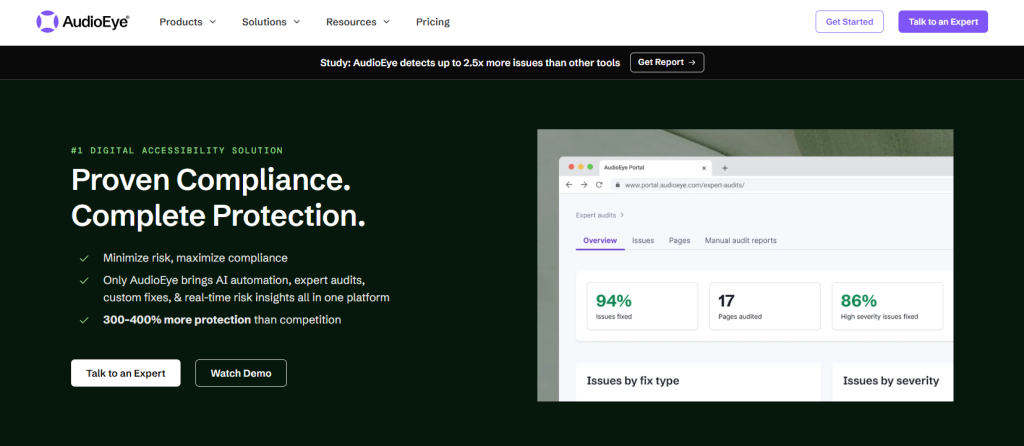
AudioEye is primarily an automated accessibility checker that scans entire websites for WCAG 2.2 compliance, identifies issues, and reveals them in plain English to users. The fact that the tool’s recommendations are jargon-free means that pretty much anyone can make the changes, not just developers.
With AudioEye, you can also expect manual checking services, legal support, and developer tools, though these make up a smaller part of the business. The automated scanner is the entry point for most customers, flagging problems like missing alt text, poor colour contrast, and broken keyboard navigation before guiding users toward fixes.
What are the best alternatives to AudioEye?
If you’re looking for AudioEye alternatives, there are certainly plenty of options on the market. Let’s take a look:
#1 – Recite Me
Recite Me’s Accessibility Checker scans websites against WCAG standards and produces clear reports in plain language, not technical jargon. Each flagged issue comes with guidance on how to fix it, which helps teams without development experience, just like AudioEye. The checker runs automatically on a schedule, so new pages get tested without manual work.
The Recite Me platform also pairs this with a full toolbar covering translation and reading support, so organisations get compliance and inclusion tools together. That’s a real advantage for businesses working across the UK, US, and Australia. That said, pricing sits at the enterprise end, so it may be more than small sites need.
Benefits
- Reports written in plain language
- Scans run automatically on a schedule
- Built for multi-region compliance
- Checker and toolbar in one platform
Drawbacks
- The toolbar may be more than some users want
- Pricing aimed at enterprise budgets
#2 – WAVE by WebAIM
WAVE is a free tool built by WebAIM, a trusted name in accessibility testing. It scans one page at a time and overlays icons directly onto the site, so you can see exactly where each error sits. Developers tend to like this because nothing gets buried in a separate report.
On top of this, WAVE checks pages against WCAG guidelines and flags problems like missing form labels or weak colour contrast. There’s a catch, though: the free version doesn’t crawl a whole website on its own. You check one page, then move to the next, so larger sites usually need a second tool to get full coverage.
Benefits
- Free to use
- Shows errors directly on the page
- Trusted by developers
Drawbacks
- No full-site crawling on the free plan
- Limited reporting for non-technical staff
#3 – EqualWeb
EqualWeb pairs an automated scanner with AI-driven fixes, so it doesn’t just flag issues; it tries to fix some of them on the spot. The checker tests pages against WCAG 2.2 and produces a public accessibility statement alongside its report.
It also keeps watching your site after the first scan. If a new page breaks a rule, EqualWeb flags it. Small and mid-sized businesses often prefer this lighter-touch setup. Plus, you still get manual audits and legal support if you need them; just be prepared to pay extra.
Benefits
- Fixes some issues automatically
- Monitors your site on an ongoing basis
- Generates a public accessibility statement
Drawbacks
- Automated fixes won’t catch everything complex
- Report detail varies depending on your plan

#4 – Silktide
Silktide’s checker scans for WCAG failures and shows results on a dashboard built for tracking progress over time. Pages get scored, issues get grouped by how serious they are, and you can watch the numbers improve as fixes go in. That’s handy if you need to report progress to a manager.
Silktide also checks content quality and SEO, so it works more like a general website health tool than a pure accessibility platform. This is often useful for marketing teams juggling several priorities. If you want deep accessibility crawling on a large site, though, you’ll need one of the paid tiers.
Benefits
- Tracks progress with a scoring dashboard
- Covers content and SEO, not just accessibility
- Useful for reporting to stakeholders
Drawbacks
- Broader focus means less accessibility depth
- Full crawling needs a paid plan
#5 – UserWay
UserWay is best known for its accessibility widget, but this is an overlay-based approach which often draws criticism from accessibility advocates, who argue they mask problems rather than solve them.
If genuine WCAG conformance matters to you, Usetway runs an automated scanner that checks sites against WCAG standards. The scan catches common problems, such as missing alt text, contrast issues, and ARIA errors, and turns them into a compliance report.
Benefits
- Quick to set up
- Well-known brand
- Clear compliance reports
Drawbacks
- Overlay fixes are controversial in the accessibility community
- Doesn’t fix root-cause code problems
#6 – BrowserStack
BrowserStack started as a cross-browser testing platform, but its accessibility tool has grown into a serious automated checker built on axe-core. It scans pages for WCAG 2.2 violations and slots directly into development pipelines.
Engineering teams often appreciate that streamlined approach. It means accessibility testing sits alongside the functional testing they’re already running. Results point to exact code locations, which developers appreciate.
What you won’t get is much for non-technical users. That’s because reporting here is built for engineers, not marketing teams.
Benefits
- Built on the trusted axe-core engine
- Integrates with existing development pipelines
- Points to exact code locations
Drawbacks
- Not built for non-technical users
- Accessibility is a secondary feature, not the main product
#7 – Acquia
Acquia runs an automated accessibility scanner as part of a wider governance platform, alongside SEO monitoring and content quality checks. The accessibility side scores pages against WCAG standards and tracks how that score changes over time.
Schools, universities, and public sector bodies use it a lot, largely because of its focus on regulatory compliance across many pages at once. Acquia can also scan large numbers of pages across multiple domains, which suits organisations running several sites under one roof. But if you only need accessibility checks for a single small site, the platform may feel like overkill.
Benefits
- Strong multi-site and multi-domain scanning
- Popular in education and public sector
- Tracks compliance score over time
Drawbacks
- More than most single-site setups need
- Pricing geared toward larger organisations
#8 – Deque
Deque built axe-core, the open-source engine that powers several other checkers on this list, including BrowserStack’s tool. Its own product, axe DevTools, runs automated scans against the latest WCAG standards, with a strong reputation for accuracy.
Deque aims its tools squarely at developers. The checker plugs into code editors and CI/CD pipelines, so testing happens continuously as code gets written rather than after the fact. Manual audits and training are available too, for teams who want to build or improve accessibility skills in-house.
Benefits
- Built by the creators of axe-core
- Low false-positive rate
- Deep integration with developer tools
Drawbacks
- Steep learning curve for non-developers
- Reports lean technical, not plain-language
#9 – accessiBe
accessiBe pairs an automated scanner with AI-powered overlay fixes, similar in approach to UserWay. The scanner checks WCAG compliance and builds an accessibility statement, while the AI layer tries to patch certain issues as the page loads.
Small and mid-sized businesses are the main audience here, drawn in by the promise of fast, low-effort compliance. But the overlay approach has run into trouble. Accessibility advocates and, in some cases, courts have challenged claims that automated fixes deliver full compliance. Weigh that risk against the convenience, especially if your site has limited development resources to spare.
Benefits
- Fast to implement
- Generates an accessibility statement automatically
- Budget-friendly for smaller businesses
Drawbacks
- Overlay approach has faced legal challenges
- No guarantee of full WCAG conformance
#10 – DubBot
DubBot is a website governance platform with an accessibility checker built in, scanning for WCAG violations alongside broken links and spelling errors. The accessibility module rates each issue by severity, so teams know what to fix first.
Universities, local government, and other public sector bodies use DubBot often, usually because they’re managing large, content-heavy sites. Scans run on a schedule, so accessibility data stays current without anyone checking manually. You can also track how compliance changes over months, not just at a single point in time. Like Acquia, accessibility here is one feature among several, not the sole focus.
Benefits
- Combines accessibility with content quality checks
- Popular in public sector and education
- Scheduled, automatic scanning
Drawbacks
- Not built specifically for accessibility
- Best suited to large, content-heavy sites
Are AudioEye alternatives worth your time?
AudioEye is a solid starting point, but it isn’t the only automated checker worth trying. Your choice comes down to what matters most: plain-language reporting, developer integration, or governance across multiple sites.
Recite Me stands out if you want both a reliable checker and a wider accessibility toolset. If you want to start with a free tool, WAVE by WebAim should be your go-to. For small to mid-sized organisations looking to get their foot in the door, accessiBe and UserWay are also solid options.
Ultimately it’s about choosing the tool that fits how your team already works. That matters more than any feature list.
AudioEye alternatives FAQs
Looking for a quick recap? Here are answers to some of the most frequently asked questions on this topic:
No, AudioEye offers a free trial, but ongoing use needs a paid plan based on your site size.
WAVE by WebAIM. It’s free and shows errors directly on the page you’re checking.
Recite Me and Acquia both handle multi-site scanning and detailed compliance reporting well.