Looking for an alternative to EqualWeb? You’re in the right place. Plenty of businesses start with a simple widget tool to help open up their websites to a more diverse audience. But that’s rarely a long-term fix. That’s where automated accessibility checking tools come into play.
This guide walks you through the best widget and checker alternatives to EqualWeb. By the end, you’ll better understand what’s out there and your current options.
What is EqualWeb?
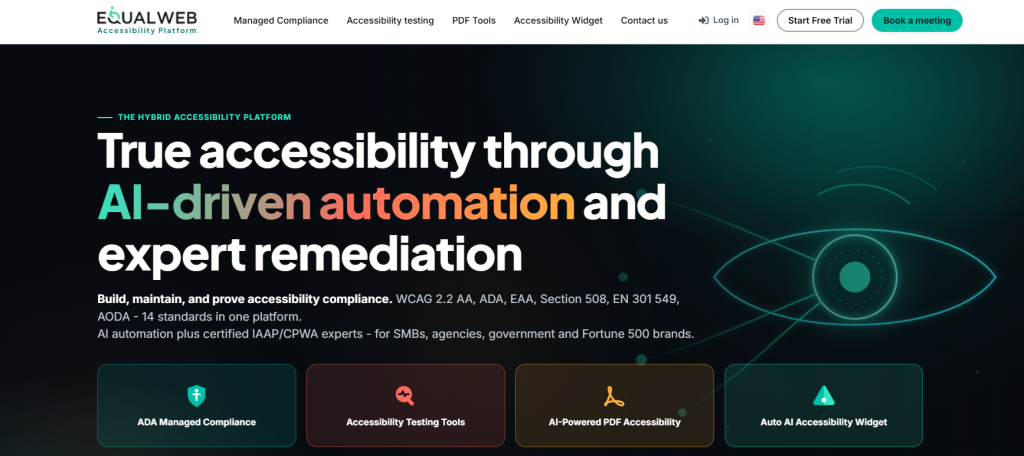
EqualWeb sells two main products. One is an accessibility widget that changes how a site looks and works for people with diverse needs. The other is a scanning tool that automatically checks a site against the latest WCAG rules.
The best way to think of the widget is as a user-facing tool that lets visitors customise your website in a way that works best for them. But that doesn’t fix underlying accessibility issues. That’s where the checker steps in to run automated checks and flag problems to your team.
EqualWeb is often favoured by small and mid-sized businesses that are looking to start their accessibility journey on the right foot.
What are the best alternatives to EqualWeb?
There are plenty of great alternatives to EqualWeb. Below, we’ve listed our top 10:
1. Recite Me
Recite Me gives you an assistive toolbar, a website accessibility checker, and a PDF remediation tool. That’s a wider spread than most competitors offer. This makes it a solid choice for medium to large organisations looking to meet advanced compliance requirements.
The toolbar adds text-to-speech, translation into over 100 languages, and reading support, all without touching the site’s code. The checker scans against WCAG 2.2 and flags issues in plain English for a human to review. You’ve also got the PDF remediation tool that can detect and fix inaccessible documents at scale. It’s definitely a more complete platform across the board than what EqualWeb offers
Pros
- Toolbar, checker, and PDF remediation in one platform
- Strong translation and multilingual support
- Reporting built for compliance audits
- Doesn’t lean on overlay fixes alone
Cons
- Costs more than basic widget-only tools
- More than a very small site might need
2. AudioEye
AudioEye mixes automated scanning with human remediation. This means that real people review flagged issues and fix them, rather than leaving it all to software. There’s also a widget for end users, covering things like contrast and font size.
But what really sets AudioEye apart is the ongoing monitoring. Sites get checked regularly, and you get reports on where you stand over time. It suits companies that want expert eyes on their site without hiring an in-house team. The only catch is that this level of service isn’t cheap, so your organisation will need deep pockets to adopt the platform.
Pros
- Automation backed by human review
- Regular monitoring, not a one-off scan
- Strong support for compliance paperwork
Cons
- Price climbs fast for bigger sites
- Less hands-on control than a self-managed tool

3. Deque
Deque built axe-core, the open-source testing engine that half the industry runs on. Its enterprise product, axe DevTools, is aimed squarely at developers. This is a tool for teams who want to catch accessibility bugs while building, not after launch.
Deque also runs axe Auditor for manual expert testing and detailed WCAG reports. If your team is technical and wants accessibility baked into the workflow, Deque fits well. If not, it might feel like hard work compared to EqualWeb.
Pros
- Runs on the industry-standard axe-core engine
- Deep developer tooling and CI/CD support
- Genuine accessibility expertise behind it
Cons
- Steep learning curve for non-developers
- Light on end-user assistive features
4. UserWay
UserWay is known for its AI-powered widget, paired with a separate WCAG scanner. The widget covers contrast, text size, and navigation, while the automated scanner checks pages and builds compliance reports.
Setup is fast, and pricing starts low, which is why so many small businesses choose it. But UserWay has faced the same criticism as EqualWeb. Sites that have adopted the accessibility widget alone have still ended up in lawsuits, which raises real questions about whether an overlay alone is enough.
Pros
- Quick to install
- Low starting price
- Well-known brand
Cons
- Steep learning curve for non-developers
- Light on end-user assistive features
5. Silktide
Silktide leans heavily on the accessibility checking and monitoring side of things. But it doesn’t stop here. The tool also analyses content quality and the strength of your website’s SEO performance, all from one dashboard. So you’re not just checking WCAG issues here, you’re also looking at broken links and weak content.
That makes it a good fit for marketing teams who want accessibility folded into a wider site health check, rather than treated as its own separate job. The reporting is clean and easy to read, which helps when you need to explain results to people who aren’t technical.
Pros
- Bundles accessibility, SEO, and content checks
- Clear, visual dashboard
- Works well for content-heavy sites
Cons
- Less depth on manual testing
- Not built for heavily regulated sectors
6. Level Access
Level Access is a long-standing enterprise platform. It offers automated testing, manual audits, and compliance consulting, so you’re not just buying software.
That makes the Level Access platform a great tool for complying with accessibility legislation like ADA, EAA, and Section 508. There’s training and legal support on the table too. But all of that adds up to a much higher price point than you’d generally expect with EqualWeb. For a small business, it’s probably overkill.
Pros
- Covers several global compliance standards
- Includes expert audits and legal support
- Strong choice for government and enterprise work
Cons
- Higher cost and slower onboarding
- Too much tool for smaller organisations
7. accessiBe
accessiBe runs an AI-powered widget that adjusts a site automatically based on what its machine learning model finds. There’s also accessFlow, an add-on for manual remediation and closer monitoring.
accessiBe is a popular digital accessibility platform. It’s best known for its widget (accessWidget) tool, which lets website visitors deploy a range of customisations, including content, colour, and orientation adjustments. But for real, tangible accessibility improvements, you’ve got an automated scanner (accessScan). The scanner lets you detect WCAG 2.2 issues with full-site scans and continuous monitoring.
Deployment is quick, which appeals to smaller businesses without many technical resources. But accessiBe has been at the centre of real controversy. It’s faced lawsuits and public criticism over false claims that its widget alone guarantees compliance. That’s a topic worth digging into before you sign up.
Pros
- Fast, low-effort setup
- AI-driven automatic adjustments
- Add-on options for deeper remediation
Cons
- High-profile lawsuits and criticism
- Automated-only fixes have real limits
8. Acquia
Acquia is a digital experience platform built around Drupal. It isn’t a dedicated accessibility tool. Instead, accessibility features sit inside a much bigger content management suite.
If your business already runs on Drupal and Acquia, this makes sense, since scanning comes bundled with everything else. If you’re not already in that ecosystem, though, a dedicated accessibility tool will likely serve you better.
Pros
- Fits naturally into Drupal workflows
- Part of a wider digital experience platform
- Useful if you’re already an Acquia customer
Cons
- Not built specifically for accessibility
- Little value outside the Acquia setup
9. BrowserStack
BrowserStack made its name in cross-browser and device testing. Accessibility checking is part of that wider QA offering now, built on the axe-core engine, with manual testing across real devices too.
It’s a natural fit for development teams already using BrowserStack for functional testing who want to add accessibility to the same workflow. If you’re after a dedicated accessibility platform, though, this probably isn’t it.
Pros
- Strong cross-browser and device coverage
- Useful if you already use BrowserStack
- Automated WCAG scanning built in
Cons
- Accessibility is a secondary feature
- No dedicated remediation or widget tools
10. Siteimprove
Siteimprove covers accessibility, SEO, content quality, and analytics under one roof. The accessibility module scans for WCAG issues and walks teams through fixing them, with training resources built in. This makes it easy for pretty much anyone to pick up the tool and start using it, even without dev experience.
Larger organisations tend to like Siteimprove because it puts accessibility next to their other site performance data. That breadth is the whole point for governance teams, but a smaller business might find it far more than they actually need.
Pros
- Combines accessibility with SEO and governance data
- Step-by-step remediation guidance
- Solid training resources for teams
Cons
- Pricing suits larger budgets
- Can feel like overkill for small sites
Final takeaways: What are the top alternatives to EqualWeb?
EqualWeb works if you want a cheap widget and basic scanning, nothing more. But like most tools, it has its limitations.
Recite Me, Deque, and Level Access are perfect if you want to dig deeper; they offer advanced testing and remediation for teams who need more than a surface fix. Which one you pick comes down to your team’s technical skill, your budget, and how much manual review your compliance work actually needs.
There are pros and cons to each website accessibility platform, so the decision ultimately lies with you. Which one’s your current favourite? Let us know.
EqualWeb alternatives FAQs
Looking for a quick recap? Here are answers to some of the most frequently asked questions on this topic:
It helps with basic checks, but widgets alone rarely guarantee full compliance. You’ll usually still need manual testing.
Deque’s axe-core is free and open source, making it a solid pick if your team is comfortable with code.
No, widgets improve usability but don’t fix code issues or make your website compliant with the latest accessibility standards.
Level Access and Recite Me both fit enterprise needs well, with deeper testing and support than a basic widget offers.